Medical device document control software
What document control requires under ISO 13485 and the FDA QMSR — and how Formwork runs the whole lifecycle for you, from draft to obsolescence, with Part 11 e-signatures.
What is document control for medical devices?
Document control is the set of rules that governs every document your quality management system depends on: how SOPs, work instructions, and templates are written, reviewed, approved, distributed, revised, and retired — and how the records they produce are protected. ISO 13485 demands it in clauses 4.2.3 and 4.2.4, and since the FDA's Quality Management System Regulation (QMSR) incorporates ISO 13485 by reference, the same requirements now apply to US-regulated manufacturers.
In practice, QMS document control answers four questions an auditor will ask on day one: which version of this procedure is current, who approved it, who was trained on it, and where is the evidence? A document control system — whether that's a rigorous folder convention or dedicated eQMS software — exists to make those four answers instant.
Documents tell people what to do. Records prove they did it.
It's the first distinction an auditor expects you to have internalized, and it decides how each file in your QMS must be handled.
Documents
SOPs, work instructions, templates, the quality manual. They are living: versioned, reviewed, re-approved, and eventually made obsolete. A document change means a new revision, a new approval, and training for the people it affects.
Records
Filled-out forms, test results, meeting minutes, signed approvals. They are frozen evidence: created once, never edited, and retained for a defined period — legible, identifiable, and retrievable when an auditor asks.
Deeper dive: documents vs. records, with concrete examples.
Document control requirements in ISO 13485 and the FDA QMSR
ISO 13485 clause 4.2.3 requires a documented procedure that ensures documents are reviewed and approved before use, that changes and current revision status are identified, that current versions are available where people work, that documents stay legible and identifiable, and that obsolete documents can't be used unintentionally. Clause 4.2.4 adds the record side: records must remain legible, identifiable, and retrievable for a defined retention period, protected from damage and loss.
Under the QMSR, effective February 2026, the FDA no longer maintains its own former document control text in 21 CFR 820.40. ISO 13485 now supplies the foundational document-control framework for the FDA, but manufacturers must still assess the QMSR's FDA-specific provisions and, for electronic records and signatures, 21 CFR Part 11.
The document control lifecycle
Whatever tool you use — folders, spreadsheets, or an eQMS — your document control procedure has to account for each of these states.
-
DRAFT
The author works on an uncontrolled draft, clearly marked as not effective so nobody follows it by accident.
-
IN REVIEW
Defined reviewers check the content for adequacy. Comments get resolved, not lost in email threads.
-
APPROVED
An authorized approver signs — with a compliant e-signature if your records are electronic.
-
EFFECTIVE
The document becomes the single current version. Superseded versions are withdrawn from use, and affected employees are trained on the change — with the training recorded.
-
REVISION
Changes run through the same review and approval loop. The revision history says what changed and why.
-
OBSOLETE
Retired documents are marked obsolete and protected from unintended use — but stay retrievable for the retention period your SOP defines, typically at least the lifetime of the device.
Document control mistakes auditors find constantly
Two current versions in circulation. The classic finding: a superseded SOP still lives in someone's downloads folder or a shared drive, and production keeps following it. Withdrawal of old versions has to be systematic, not an email asking people to please delete the file.
Approvals without meaning. A scanned signature or a bare “approved by” initials column doesn't say whether the person signed as author, reviewer, or approver — Part 11 requires the meaning of each signature, and auditors check for it.
Training that lags revisions. The SOP changed in March, the team was trained in June, and every record created in between was produced under a procedure its authors had never seen. If training isn't triggered by the revision becoming effective, this gap is nearly guaranteed.
Records quietly edited. Fixing a typo in a signed record breaks its integrity. Corrections need to be traceable amendments, with the original preserved.
Where 21 CFR Part 11 fits in
If you sell into the US and keep QMS records electronically, Part 11 applies to those records and signatures. Three requirements do most of the work: validated systems with tamper-evident audit trails (§11.10), signatures that show name, time, and meaning — author, reviewer, or approver (§11.50), and signatures that belong to one person and are never reassigned (§11.100).
One honest caveat: software alone does not make you compliant. Part 11 compliance is a property of your process plus your validated tools — you still need procedures, training, and a validation rationale for the system itself. Any vendor that promises “Part 11 compliance out of the box” is skipping that sentence.
Choosing document control software: what to look for
You don't strictly need software — companies have passed audits with disciplined folder structures. But the folder approach makes every lifecycle step above a manual chore, and the two-current-versions failure mode almost inevitable as the team grows. Good medical device document control software makes the compliant path the default: one effective version, forced review flows, signatures with meaning, and training that fires automatically.
Whatever tool you evaluate — including ours — it should pass every item below. Copy this into your vendor comparison.
- One current effective version per document, superseded versions clearly withdrawn
- Review and approval flow with role-based permissions
- Part 11 e-signatures showing identity, time, and signature meaning
- Tamper-evident audit trail on documents and records
- Training assigned when a new revision becomes effective, with training records
- Records immutable once created; corrections traceable
- Obsolete documents retrievable but protected from use
- Audit-ready export of any document with its history and signatures
- Vendor validation documentation for the tool itself
- Pricing you can find without talking to sales
How Formwork runs document control
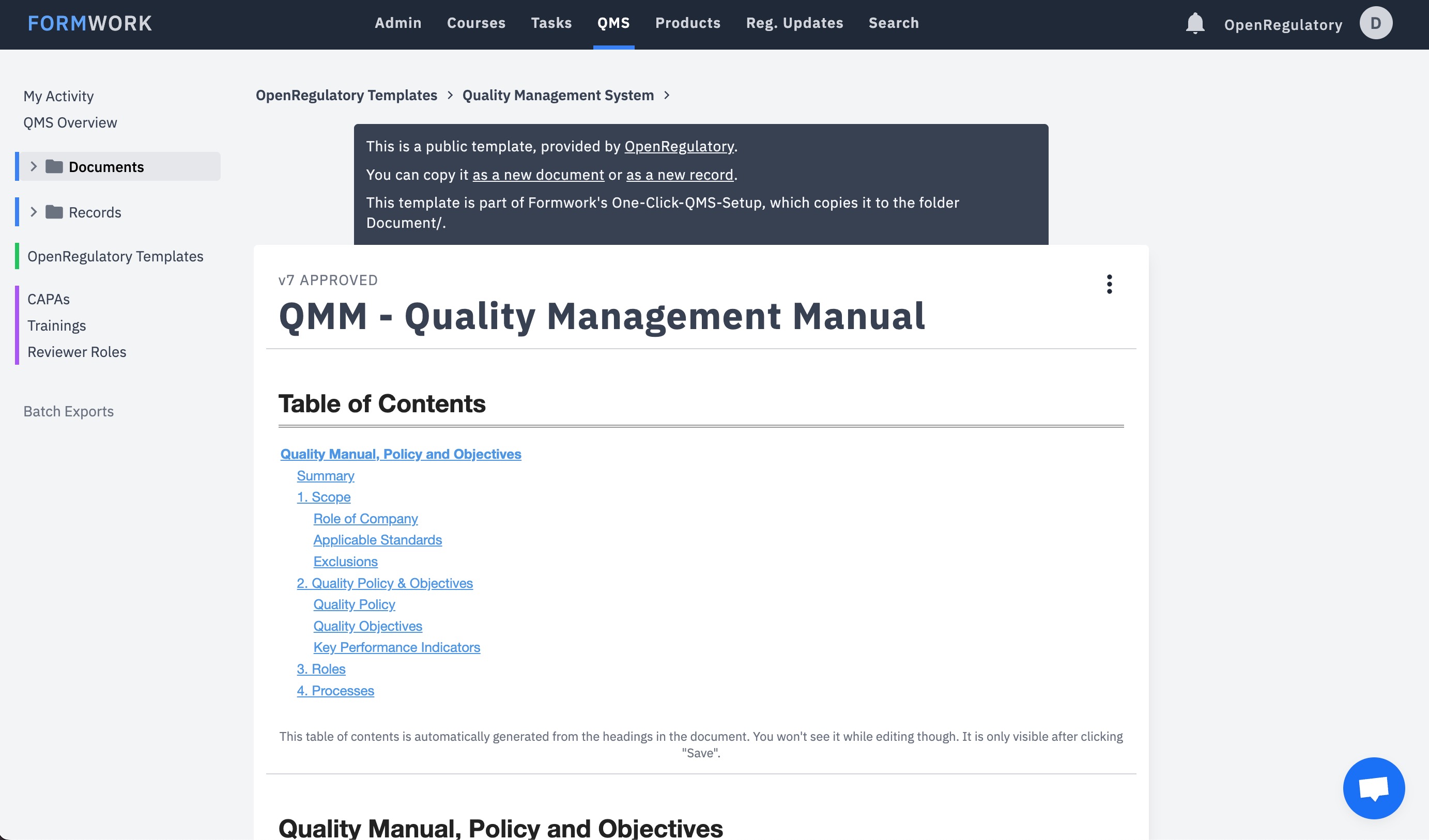
Formwork implements the full lifecycle you saw above — it's the workflow in the product preview at the top of this page. Documents move through draft, review, and approval with role-based permissions; approvals carry Part 11 e-signatures with name, timestamp, and meaning; when a revision becomes effective, training is assigned automatically and recorded; and any document exports audit-ready with its complete history and signatures.
It comes with the free OpenRegulatory template library built in, so you start from a proven Document and Record Control SOP instead of a blank page — and if you're migrating from another eQMS or from folders, migrations are free.
Frequently asked questions
Can we do document control in Google Drive or SharePoint?
What counts as a controlled document?
How long do we need to retain records?
Did the FDA QMSR change document control requirements?
Is Formwork's document control 21 CFR Part 11 compliant?
Keep reading
SOP Document and Record Control
The free template thousands of teams start from.
Documents vs. records
The distinction, with concrete examples.
QMS software comparison
Transparent — including where Formwork isn't the right fit.
Software Validation Form
Validate the tools your QMS runs on.
Sources: ISO 13485:2016 clauses 4.2.3–4.2.5 (official ISO page, no reproduced text) · FDA Quality Management System Regulation, effective 2026-02-02 · 21 CFR Part 11, current eCFR text.
Written and reviewed by
Dr. Oliver Eidel
· Last reviewed August 19, 2026
· Next review August 2027.